
Artificial intelligence is changing how people discover businesses, compare products and search for services online. Instead of relying exclusively on traditional search engines, consumers are increasingly turning to AI platforms like ChatGPT to make informed purchasing decisions.
On November 10, 2026, OpenAI introduced Businesses in ChatGPT, a beta feature that allows eligible business owners to claim their business profiles, manage company information and monitor customer engagement.
This development creates new opportunities for businesses looking to establish their presence in AI-powered search.
In this comprehensive guide, you will learn how to claim your business on ChatGPT, complete the verification process and optimise your business profile.
What Is ChatGPT Business Hub?
ChatGPT Business Hub is a platform introduced by OpenAI that allows eligible business owners and authorised representatives to manage their business presence within ChatGPT.
Through Business Hub, businesses can provide accurate and updated information about their company, products and services.
Its key features include:
- Claiming and verifying business listings.
- Updating business information.
- Managing website links and business descriptions.
- Uploading logos and cover images.
- Connecting eligible product feeds.
- Monitoring business mentions and website clicks.
- Creating a Business Agent, where eligible.
Unlike traditional business directories, ChatGPT uses business information alongside other available sources to answer relevant customer questions.
However, claiming a business profile does not guarantee higher rankings or recommendations.
What Are the Benefits of Claiming Your Business on ChatGPT?
Establishing a verified business profile can offer several advantages.
1. Accurate Business Information
Business owners can provide updated information directly through Business Hub, reducing the risk of outdated details appearing in AI-generated responses.
2. Increased Brand Discovery Opportunities
A complete profile helps ChatGPT access relevant information about your products and services when answering customer questions.
3. Verified Business Profile
After completing the required verification process, eligible businesses can receive a blue verification badge.
4. Customer Engagement Insights
Business Hub provides aggregated information about business mentions, website clicks and discovery topics.
5. Product Information Management
Eligible retailers can connect product feeds to share current prices, availability and product details.
Requirements for Claiming a Business on ChatGPT
Before starting the registration process, prepare the following:
- An active ChatGPT account.
- Your official business name.
- A legitimate business website.
- Access to your business email or telephone number.
- Website domain management access, if required.
- Business registration documents, if requested.
- Government-issued identification for identity verification.
- Authorisation to represent the business.
Eligibility depends on your business location, industry and OpenAI’s verification requirements.
How to Claim Your Business on ChatGPT: Step-by-Step Process
Step 1: Visit ChatGPT Business Hub
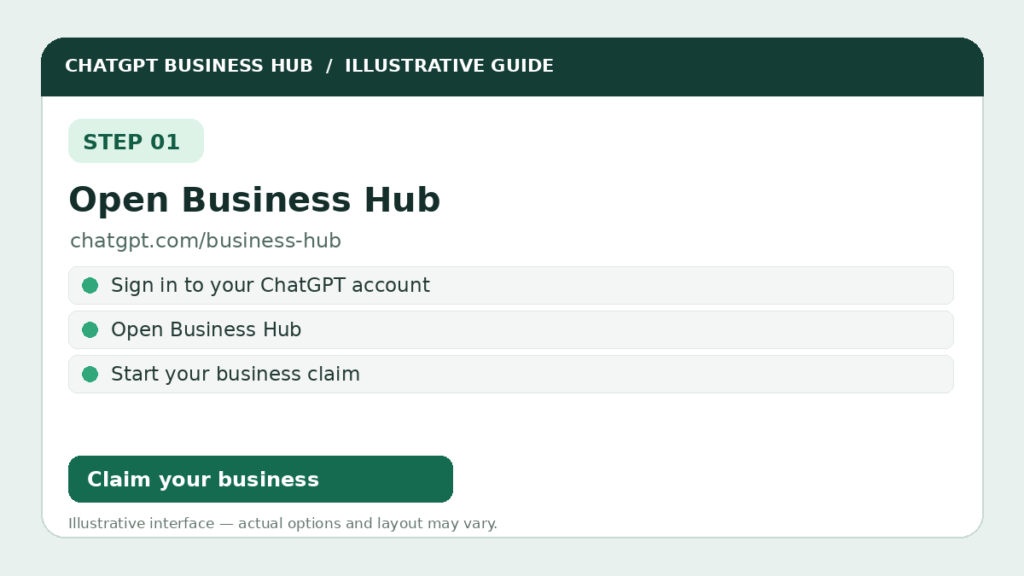
Figure 1. Open Business Hub — illustrative visual guide.
Start by visiting the official ChatGPT Business Hub:
https://chatgpt.com/business-hub (https://chatgpt.com/business-hub)
Alternatively, visit the official OpenAI business page and select the business claiming option.
Sign in using your existing ChatGPT account. Ideally, use an account associated with your organisation that you can continue to manage securely.
Step 2: Search for Your Business
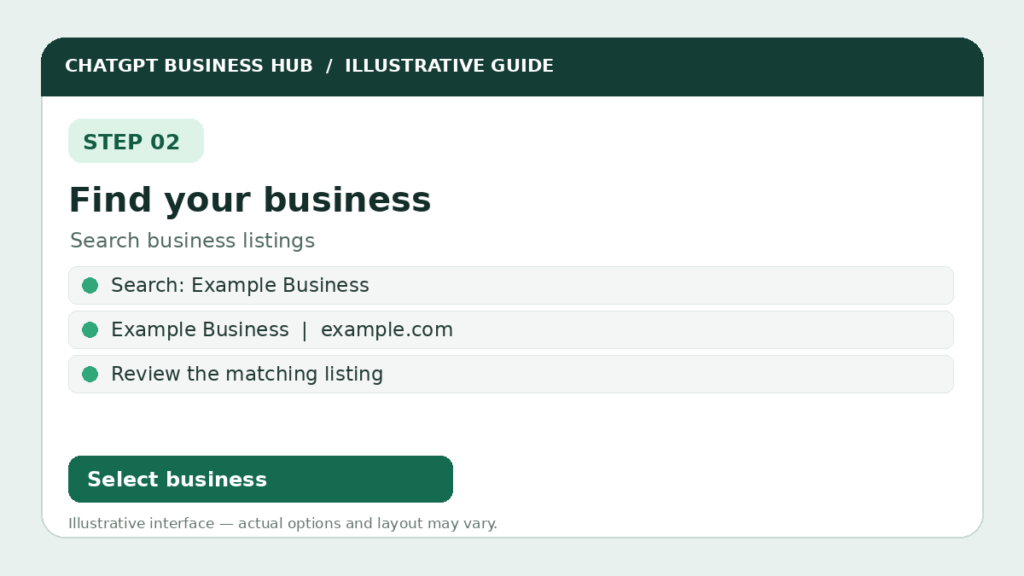
Figure 2. Find your business — illustrative visual guide.
Once you access Business Hub, search for your business using its official name.
Review the available listings carefully and confirm that the business name, website and other identifying information match your organisation.
If your business appears in the results, select the correct listing to begin claiming ownership.
If your business does not appear, eligible online businesses may be offered an option to create a new profile.
Local stores and restaurants can currently claim only existing US listings under the initial rollout.
Step 3: Confirm Your Business Ownership
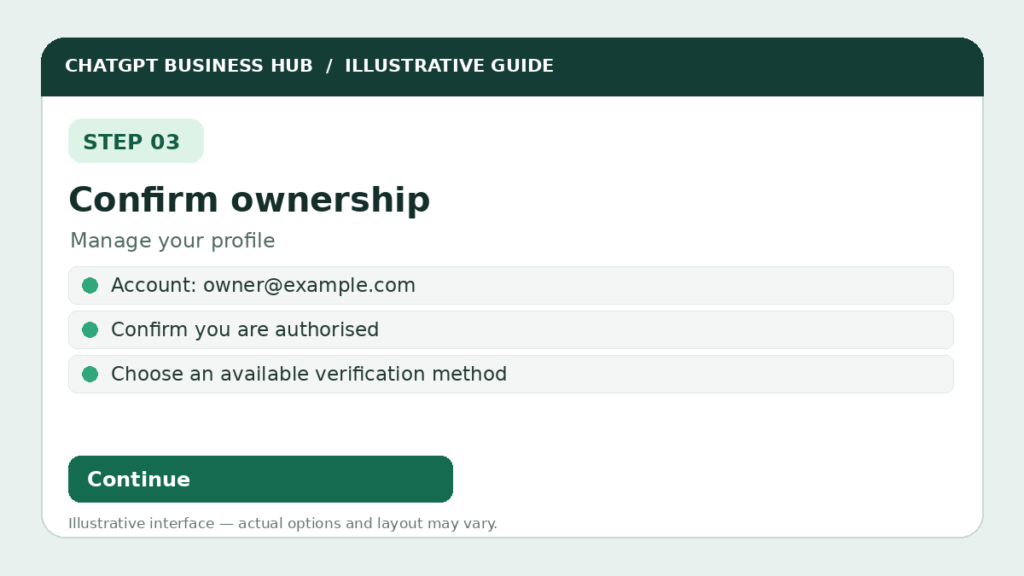
Figure 3. Confirm ownership — illustrative visual guide.
After selecting your business, confirm the ChatGPT account you want to use to manage its profile.
You must be the business owner or an authorised representative to proceed.
OpenAI may offer different verification methods depending on the type of business and available information.
These methods can include:
- Business email verification.
- Business telephone verification.
- Website domain verification.
- Shopify store verification.
Select the method that is available and most appropriate for your business.
Step 4: Verify Your Business
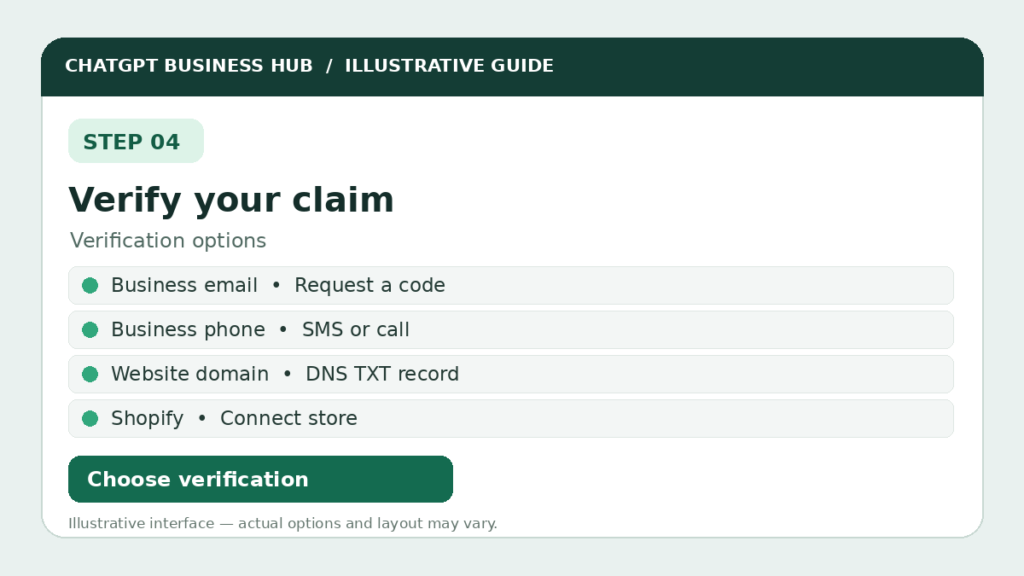
Figure 4. Verify your claim — illustrative visual guide.
Business verification helps establish that you are authorised to manage the selected business.
Below are the available verification methods.
Method 1: Business Email Verification
If email verification is available:
1. Select the business email option.
2. Request a verification code.
3. Open the associated business email inbox.
4. Copy the verification code.
5. Enter the code in Business Hub.
6. Complete the verification process.
Make sure you have access to the email address displayed during verification.
Method 2: Business Phone Verification
Businesses with an eligible telephone number may verify ownership through SMS or an automated call.
1. Select the business phone option.
2. Choose SMS or telephone call.
3. Request the verification code.
4. Enter the received code.
5. Complete the verification.
Method 3: Website Domain Verification
Website domain verification may be suitable for businesses that manage their own websites.
This method requires adding a TXT record to your domain’s DNS settings.
Follow these steps:
1. Select website domain verification.
2. Copy the DNS record provided by ChatGPT.
3. Sign in to your domain registrar or DNS provider.
4. Navigate to DNS management.
5. Select the option to add a new record.
6. Choose TXT as the record type.
7. Enter the host and value supplied by ChatGPT.
8. Save the DNS record.
9. Return to Business Hub and follow the verification instructions.
DNS changes may take time to become publicly accessible.
Always use the exact TXT record provided during your verification process.
Method 4: Shopify Store Verification
Eligible Shopify merchants can connect their online stores to ChatGPT through Business Hub or Shopify administration.
The integration can simplify verification and allow businesses to share relevant catalogue information.
Follow the connection and authorisation instructions displayed for your store.
Step 5: Complete Persona Identity Verification
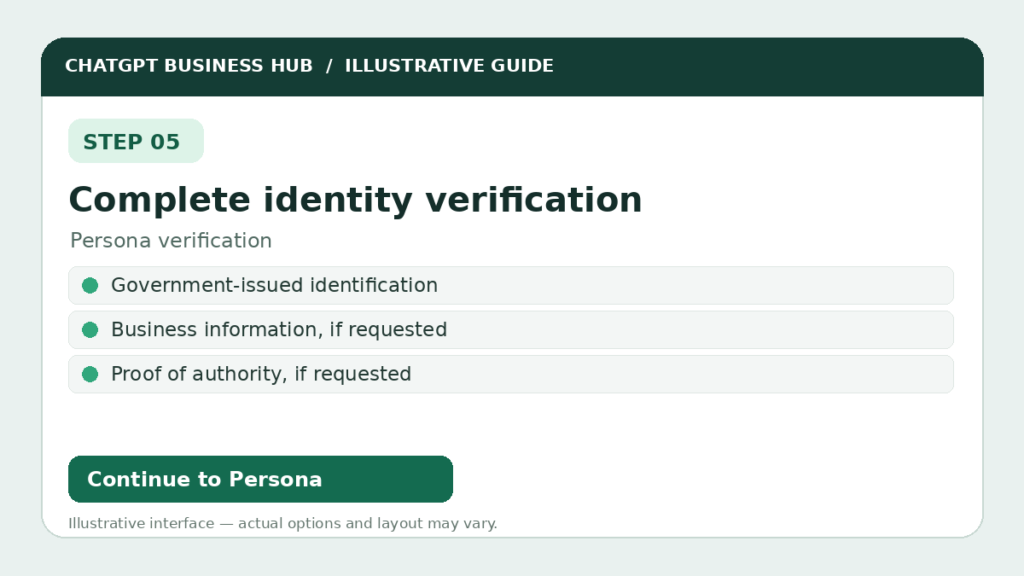
Figure 5. Complete identity verification — illustrative visual guide.
Claiming a business and completing identity verification are separate processes.
Even after your initial business claim is approved, you need to complete identity verification through Persona to publish profile updates, access insights and use certain additional features.
To complete identity verification:
1. Open your business overview in Business Hub.
2. Locate the Persona verification option.
3. Select the verification button.
4. Continue to the Persona platform.
5. Submit the requested identification documents.
6. Provide any additional business information required.
7. Submit your application for review.
OpenAI may request government-issued identification, business registration information or evidence that you are authorised to represent the organisation.
After approval, the business profile can display a blue verification badge.
Step 6: Add and Update Your Business Information
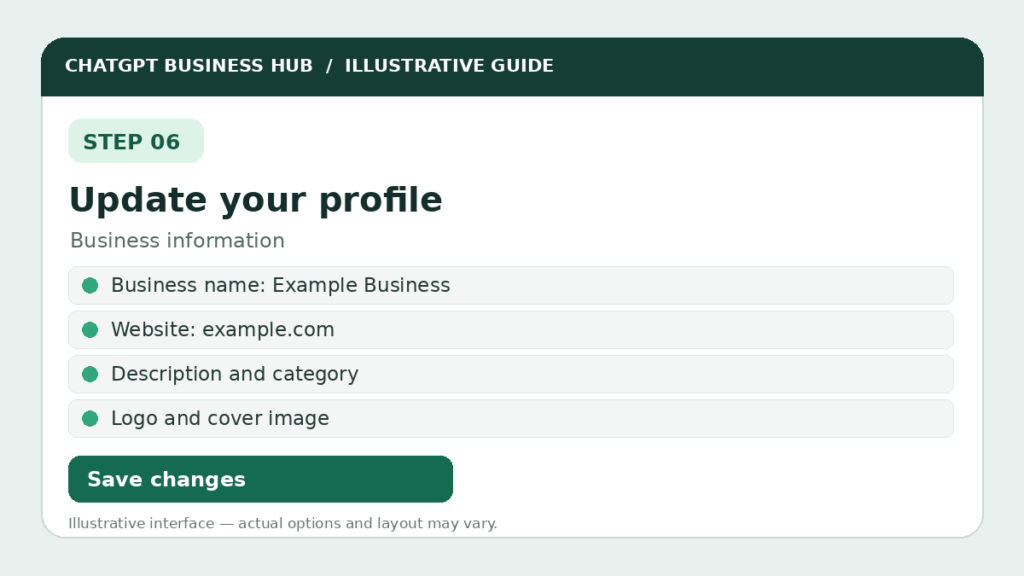
Figure 6. Update your profile — illustrative visual guide.
Once the required verification is complete, navigate to your business profile.
Review all available business information and update any missing or inaccurate details.
| Profile field | Recommended information |
| Business name | Official registered or trading name |
| Website | Primary business website |
| Description | Clear explanation of products or services |
| Category | Relevant business classification |
| Logo | High-quality official brand logo |
| Cover image | Professional brand-related visual |
| Delivery policy | Accurate shipping or delivery information |
| Return policy | Current refund and return conditions |
Available profile fields may differ depending on your business type.
Write a clear, factual business description that helps customers understand what your company offers. Avoid keyword stuffing, exaggerated claims or misleading information.
Step 7: Submit Your Business Information
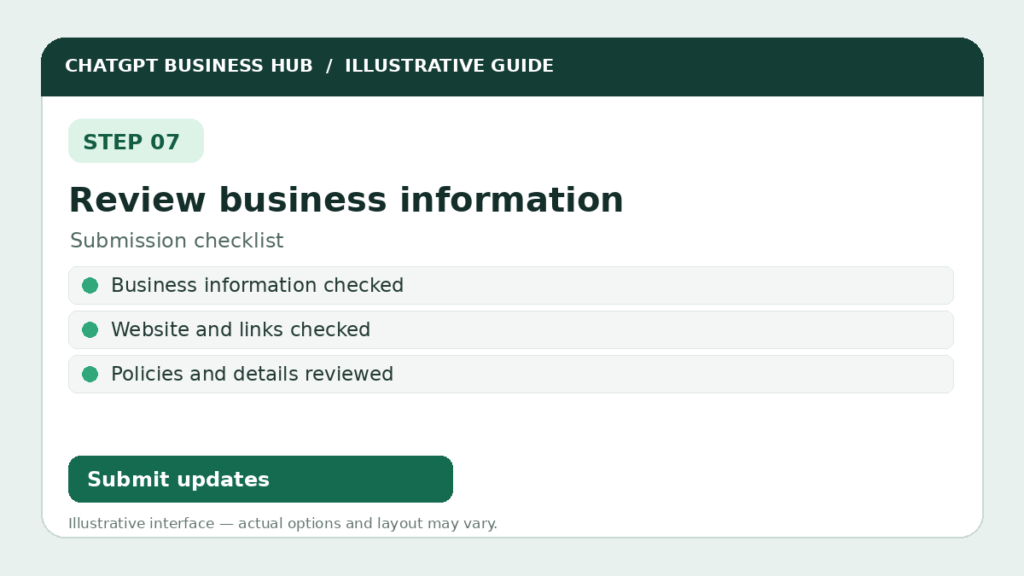
Figure 7. Review business information — illustrative visual guide.
After reviewing your business information, submit the changes for OpenAI’s review.
Before submission, check that:
- Your website link works correctly.
- Business information is accurate.
- Your logo represents the organisation.
- Product and service information is up to date.
- All submitted content complies with OpenAI’s policies.
Updates may take time to appear in ChatGPT responses or business profiles.
If you are creating a new profile through Persona verification, OpenAI’s approval may automatically publish the profile.
Step 8: Connect Your Product Feed (Optional)
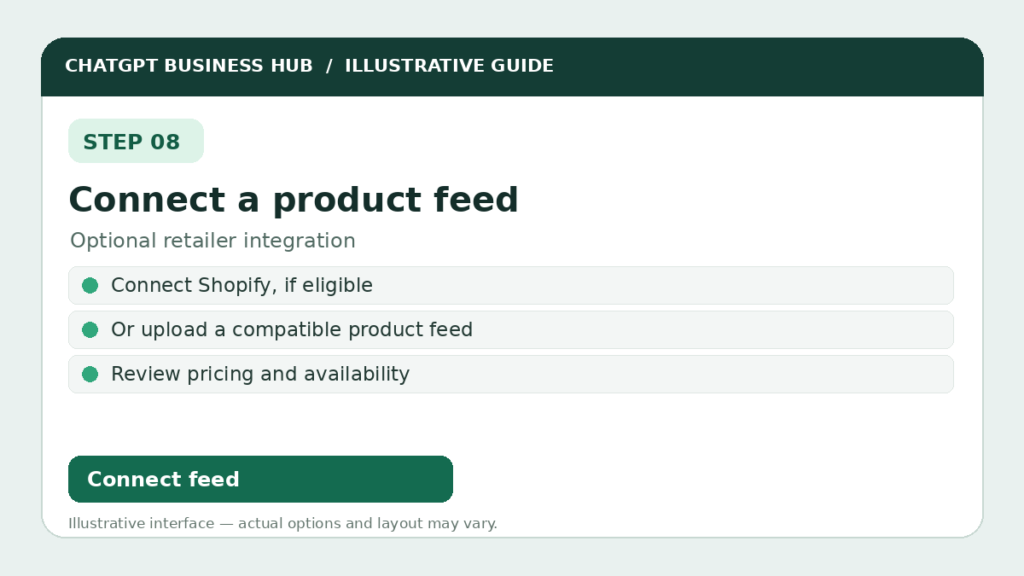
Figure 8. Connect a product feed — illustrative visual guide.
Businesses selling eligible products online can connect a product feed to share detailed product information with ChatGPT.
Depending on eligibility, retailers may use a Shopify integration or submit a compatible CSV product feed.
Product information can include:
- Product names and descriptions.
- Product images.
- Prices.
- Availability.
- Product website links.
- Relevant product attributes.
The feed must meet OpenAI’s product specifications and applicable commerce policies.
Connecting a product feed does not guarantee product recommendations or sales.
Step 9: Create a ChatGPT Business Agent (Optional)
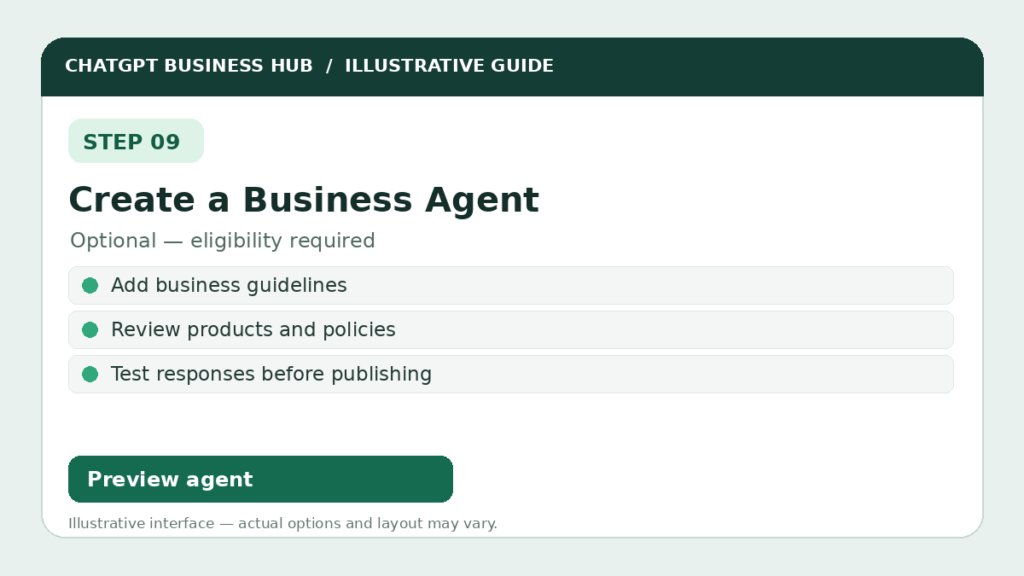
Figure 9. Create a Business Agent — illustrative visual guide.
A Business Agent is an AI-powered assistant that helps customers explore a company’s offerings.
Businesses can configure an eligible agent using their product information, policies and business guidelines.
A Business Agent can help customers:
- Explore products and services.
- Compare available options.
- Understand business policies.
- Ask product-related questions.
- Find relevant information before making purchasing decisions.
As of November 2026, Business Agents are initially available to eligible ecommerce and online service businesses in the United States.
Creating an agent is optional and is not required for claiming a business profile.
Step 10: Monitor Your ChatGPT Business Insights
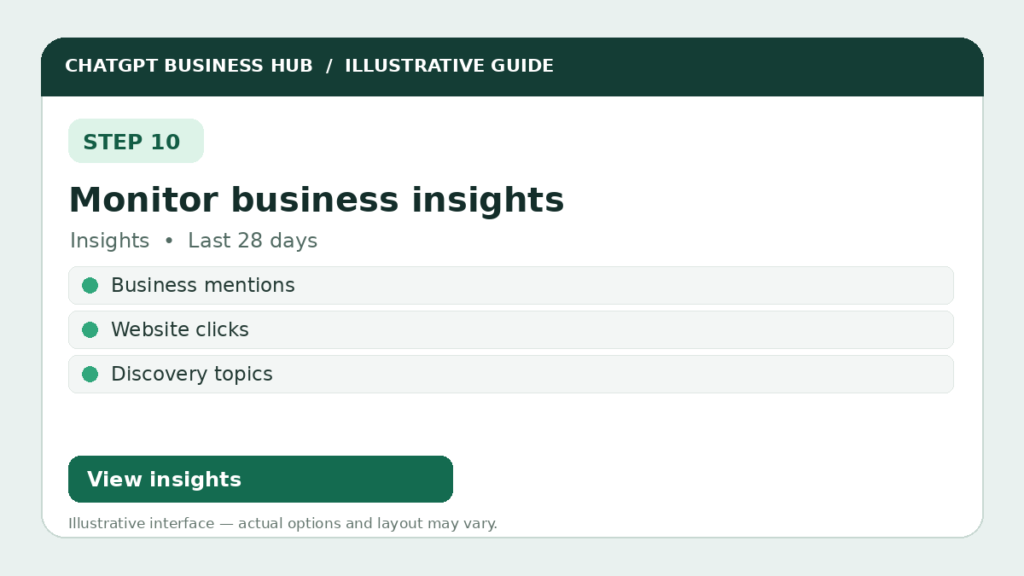
Figure 10. Monitor business insights — illustrative visual guide.
Once your business profile is approved and the required verification is complete, access the Insights section within Business Hub.
Available insights include:
Business mentions: Shows how frequently your business is referenced in relevant ChatGPT experiences.
Website clicks: Measures how often users follow links to your business website.
Discovery topics: Highlights common conversation themes associated with mentions of your business.
These insights cover the previous 28 days and provide aggregated information rather than individual customer conversations.
How to Improve Your Business Visibility on ChatGPT
Claiming your business is only one component of building AI search visibility.
Consider implementing these additional practices.
Optimise Your Website Content
Publish accurate, helpful and well-structured pages explaining your products, services and company information.
Maintain Consistent Business Information
Ensure that your business name, website and contact information remain consistent across relevant online platforms.
Implement Relevant Structured Data
Use appropriate schema markup, such as Organisation, LocalBusiness or Product schema, where applicable.
Build a Trustworthy Online Presence
Provide transparent business policies, genuine customer reviews and reliable company information.
Make Your Website Accessible to Search Crawlers
Review your website’s robots.txt configuration and ensure that relevant public content is accessible to supported search crawlers, including OAI-SearchBot.
Publish Helpful Content
Develop informative articles, FAQs and guides that address genuine customer questions.
These practices can support discoverability, although none guarantees placement in ChatGPT-generated recommendations.
Common Mistakes to Avoid
When claiming or optimising your business profile, avoid the following:
- Claiming a business you are not authorised to represent.
- Providing inaccurate business information.
- Creating duplicate business profiles.
- Entering incorrect DNS verification records.
- Publishing misleading descriptions.
- Adding outdated product pricing or availability.
- Assuming verification guarantees top rankings.
- Neglecting ongoing profile maintenance.
ChatGPT Business Hub vs Google Business Profile
Although both platforms allow businesses to manage their online information, they serve different purposes.
| Feature | ChatGPT Business Hub | Google Business Profile |
| Primary purpose | AI-powered business discovery | Local search and maps visibility |
| Business verification | Supported for eligible businesses | Supported for eligible businesses |
| Discovery platform | ChatGPT | Google Search and Maps |
| Performance insights | Mentions, clicks and discovery topics | Profile interactions and performance insights |
| Product feeds | Supported for eligible retailers | Supported through applicable Google integrations |
| Business AI agents | Available for eligible businesses | Not an equivalent core profile feature |
Businesses should consider both platforms as complementary components of their digital presence rather than replacements for one another.
Frequently Asked Questions
1. Can I register my business on ChatGPT?
Yes. Eligible businesses can claim existing profiles or, where supported, create new profiles through ChatGPT Business Hub.
2. Is a website required to claim a business on ChatGPT?
The initial claiming rollout supports eligible businesses with websites. Availability also depends on the business category and verification requirements.
3. How do I get a blue verification badge on ChatGPT?
Complete the required business claiming process and Persona identity verification. The badge can appear after OpenAI approves your identity verification.
4. Can businesses outside the United States claim profiles?
Eligible businesses in supported locations may be able to claim profiles. However, restrictions apply to certain business categories and local listings during the initial beta rollout.
5. Does claiming a business improve its ChatGPT ranking?
Claiming a business allows you to provide more accurate business information. It does not guarantee higher placement, recommendations, website traffic or sales.
6. What if my business does not appear in Business Hub?
Eligible online businesses may be offered an option to add a new profile. If this option is unavailable, your business may not currently qualify.
7. Can I claim multiple businesses on ChatGPT?
You must be authorised to represent each business you claim. Available management options depend on OpenAI’s eligibility and verification requirements.
Conclusion
The launch of ChatGPT Business Hub represents an important development in the evolution of AI-powered business discovery.
By claiming and verifying your business, you can manage your company information, share relevant product details and gain insights into how customers discover your brand through ChatGPT.
As AI search continues to develop, maintaining accurate business information, publishing helpful website content and establishing a trustworthy online presence will remain essential.
Visit the official ChatGPT Business Hub to check your eligibility and begin the business claiming process today.
Official Resources
- ChatGPT Business Hub (https://chatgpt.com/business-hub)
- OpenAI — Businesses in ChatGPT (https://openai.com/business/businesses-in-chatgpt/)
- Official Business Setup and Verification Guide (https://help.openai.com/en/articles/20001635-setting-up-your-business-on-chatgpt)
- Businesses in ChatGPT Policy (https://openai.com/policies/businesses-in-chatgpt/)